Manage property owners
Record the owners behind each property and attach them to the properties you manage, ready for owner invoicing. One owner can hold several properties.
Manage the owners you act for
Where owners live, and how a new one is added.
-
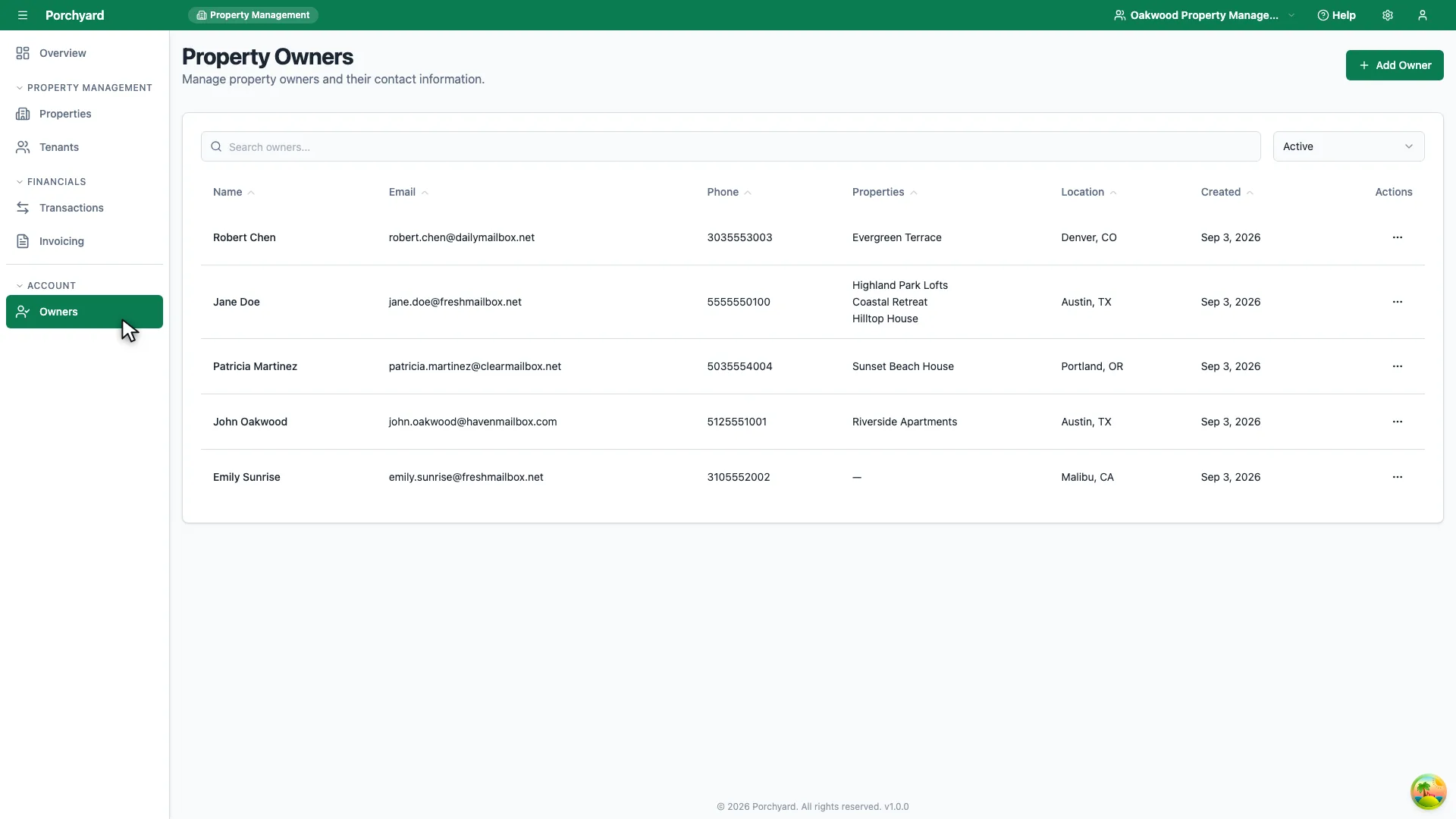
Step 1 of 2
Owners in the sidebar lists everyone whose property you manage.
-
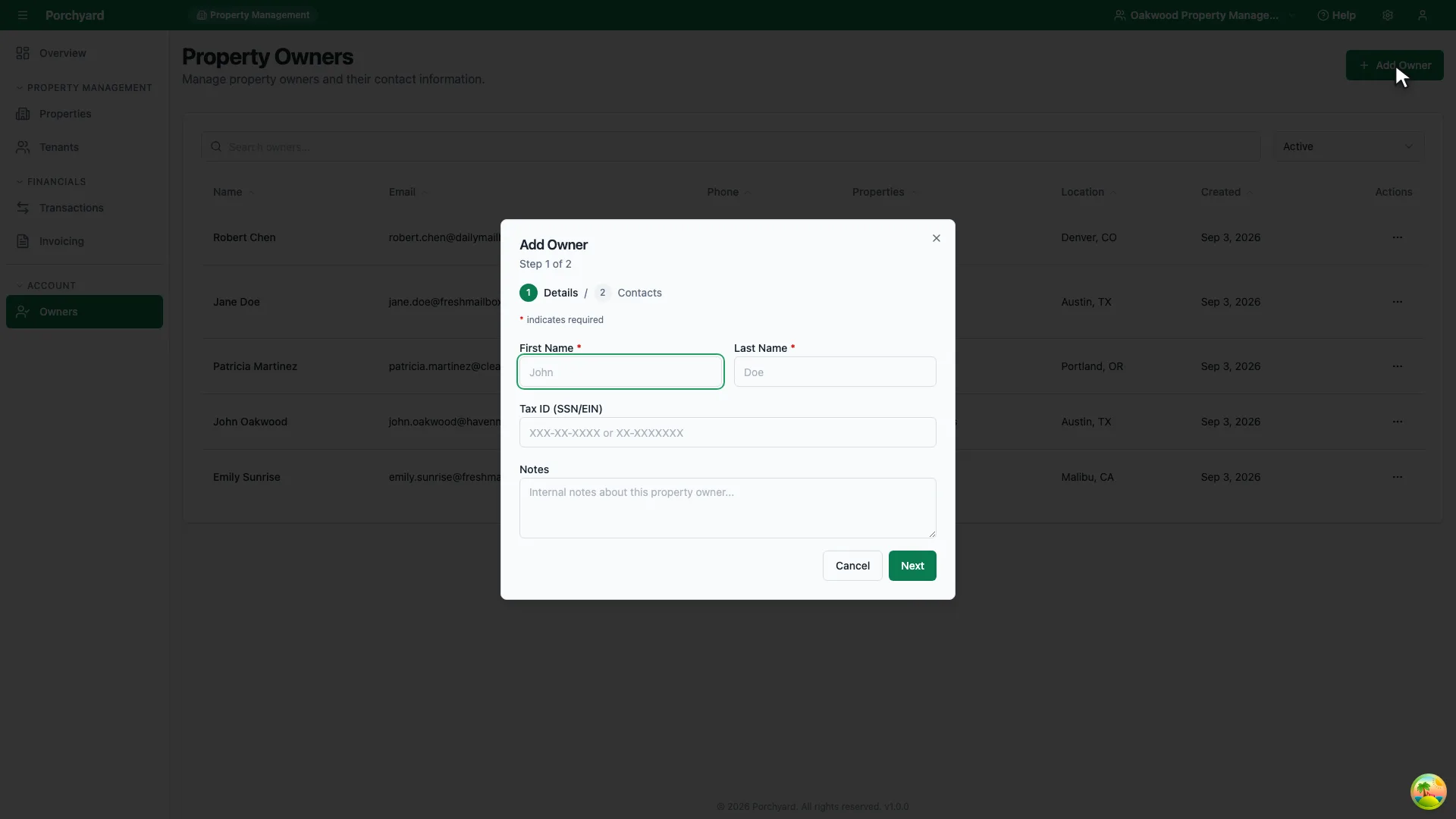
Step 2 of 2
Add Owner records a new one, ready to attach to a property.
Owner records capture who actually owns each property. They matter most when you manage properties for other people, but they are useful for anyone tracking a portfolio held across more than one name or entity.
Add an owner
Open Owners in the sidebar and choose Add Owner. Record:
- Name -- the person or entity that owns the property.
- Contact details -- email and phone for statements and questions.
- Notes -- ownership percentage, entity type, or any agreement details worth keeping.
Attach owners to properties
Open a property and assign its owner (or owners). This connects the property to the people behind it, which is what makes management-company invoicing possible -- you bill the owner attached to the property.
Tips
- Use entities where they apply. If a property is held in an LLC, record the LLC as the owner rather than an individual, so your records match the title.
- Keep contact details current. Owner statements and invoices go to the contact on the owner record.
- Review on ownership changes. When a property changes hands, update the owner so future invoices and records reflect it.