Import transactions from a CSV statement
Export a CSV from your bank or credit card provider and upload it to Porchyard to bring in your income and expenses. The wizard maps your columns.
Bring transactions in and sort them
Import a CSV statement, then narrow the list down to what you want to work on.
-
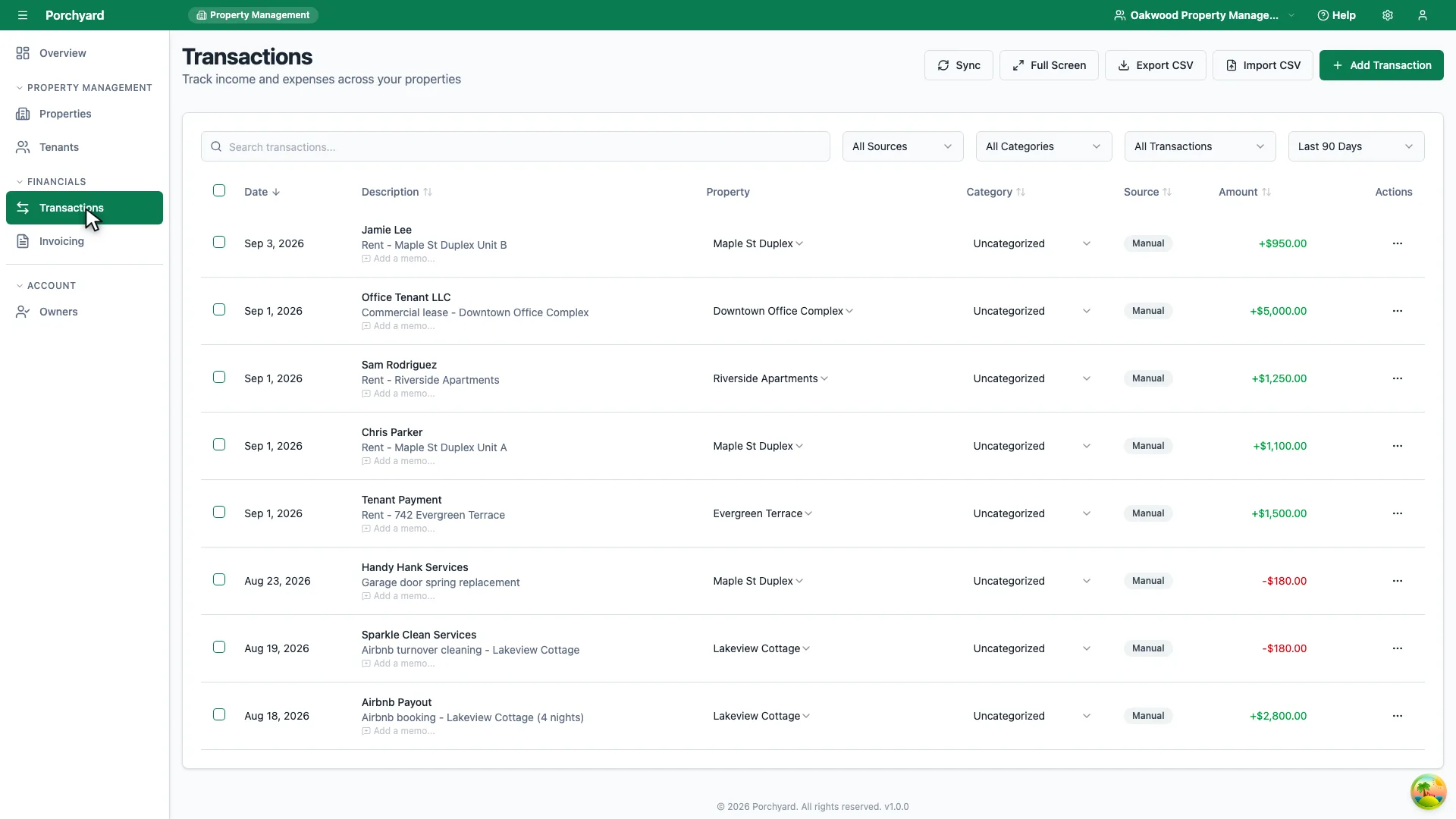
Step 1 of 3
Transactions in the sidebar lists income and expenses across every property.
-
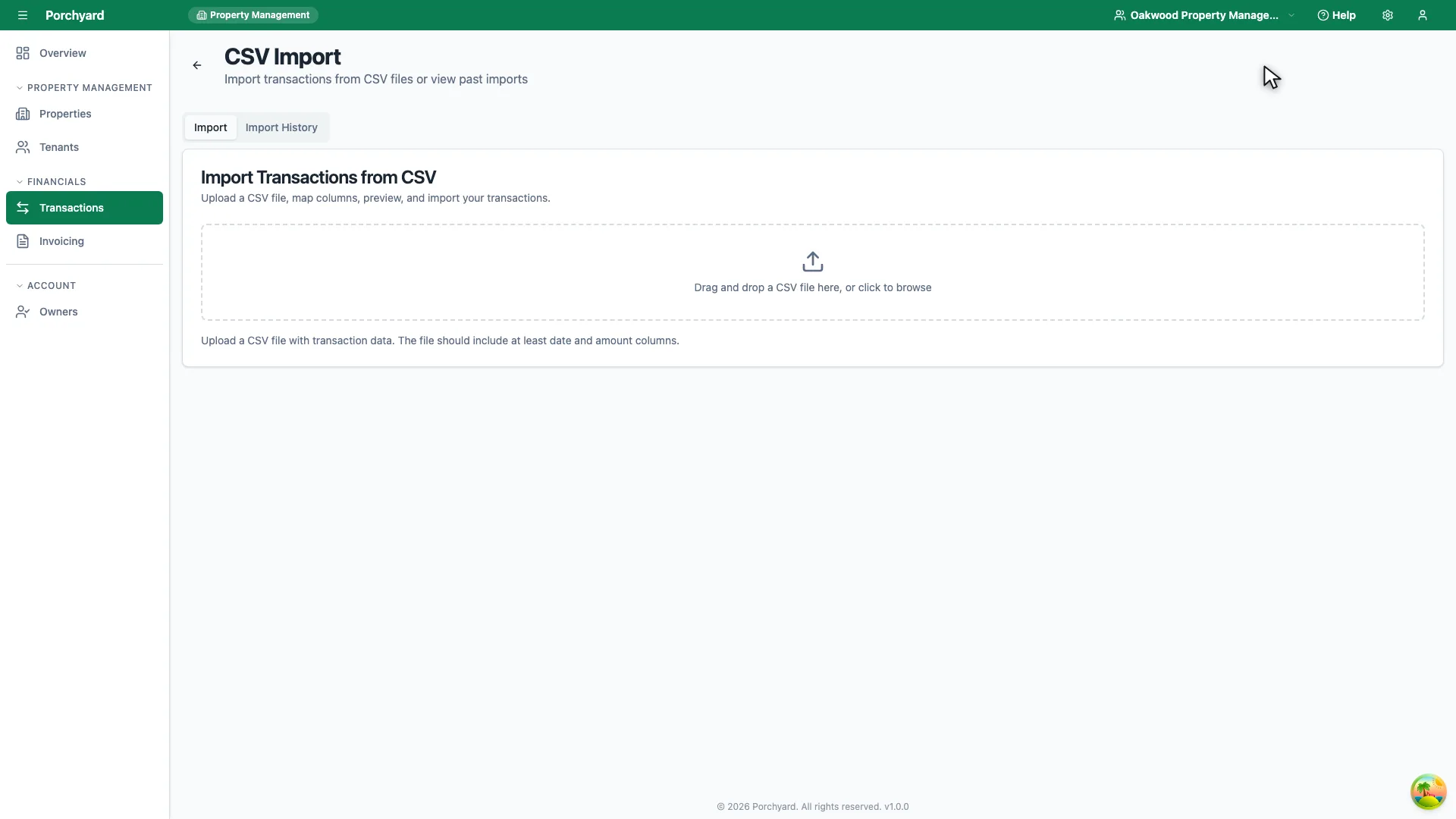
Step 2 of 3
Import CSV opens the importer, where you upload the file your bank exported.
-
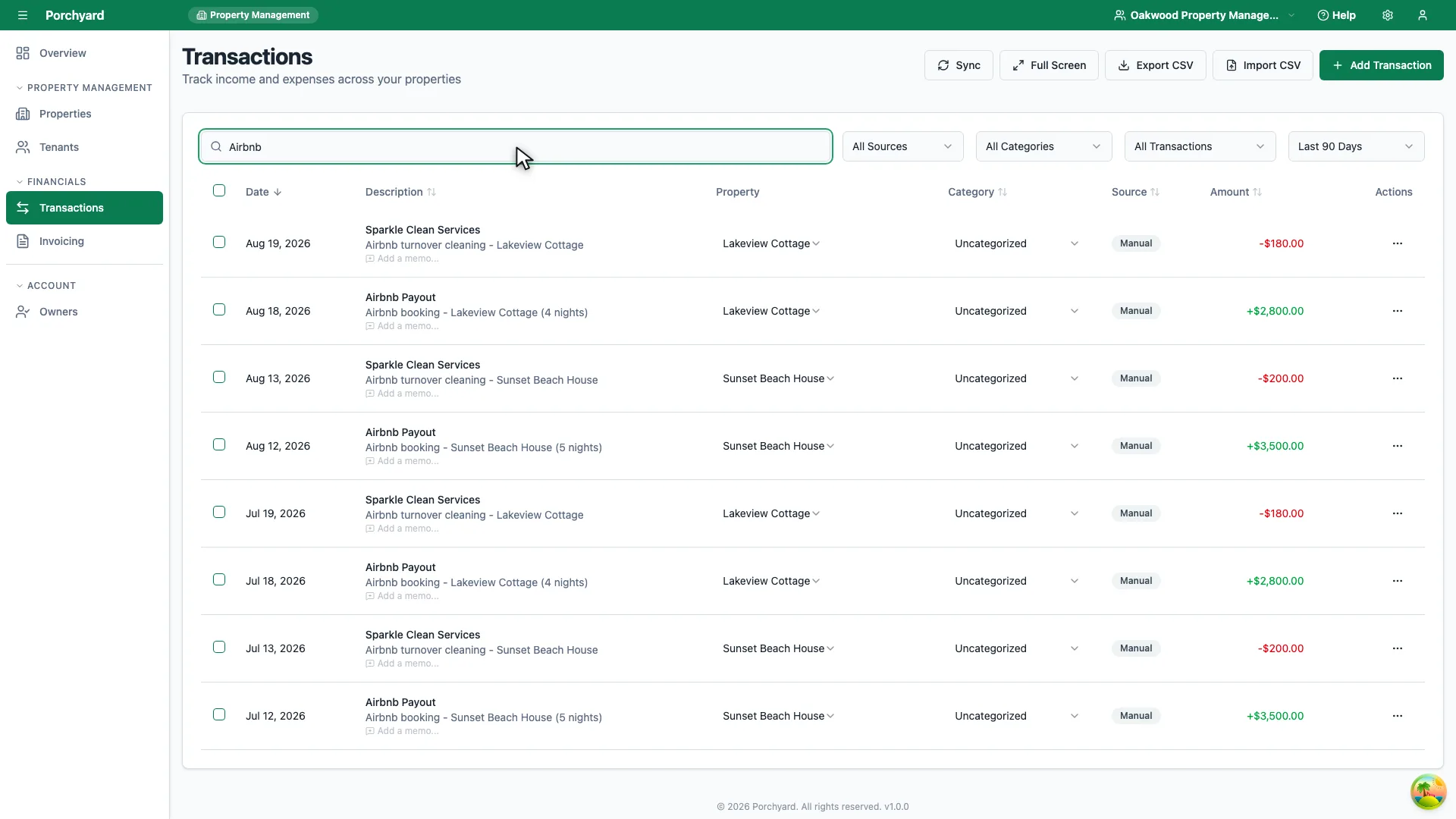
Step 3 of 3
Back on the list, search by description to find a single transaction.
Porchyard builds your financial picture from CSV statements you upload. You stay in control of what comes in, and there is nothing to connect or authorize -- you simply export a file from your financial institution and upload it.
Export a CSV from your institution
Every major bank and credit card provider lets you download transactions as a CSV (sometimes labelled "spreadsheet" or "comma-separated"). Export a date range that covers the activity you want to track, and do this for each account you use for rental property:
- Checking accounts where you receive rent
- Savings accounts holding security deposits
- Credit cards used for property expenses
- Any business accounts tied to the portfolio
Upload it to Porchyard
Open Transactions and choose Import. Select the CSV you exported. Porchyard reads the file and shows you a preview of the rows it found, mapping columns like date, description, and amount. Confirm the mapping looks right and complete the import.
After the import
Imported rows land in your transactions list ready to be categorized and assigned to a property. A few habits keep this painless:
- Import on a regular cadence -- monthly is plenty for most landlords.
- Avoid double-importing -- Porchyard flags rows that look like duplicates of ones already imported, but importing the same statement twice is the most common source of confusion.
- Keep the CSV -- hold on to the original file from your bank if you want a paper trail.
Next: Categorize your transactions.